
Sage 100 Contractor Reports That Find You: myCREcloud and DataXcel Webinar
· By Mike Hagberg
Recording of the November 10, 2026 myCREcloud and DataXcel webinar: Sage 100 Contractor reports that arrive in your inbox, multi-company roll-ups, the onboarding audit, alerts, and asking your data questions in plain English.
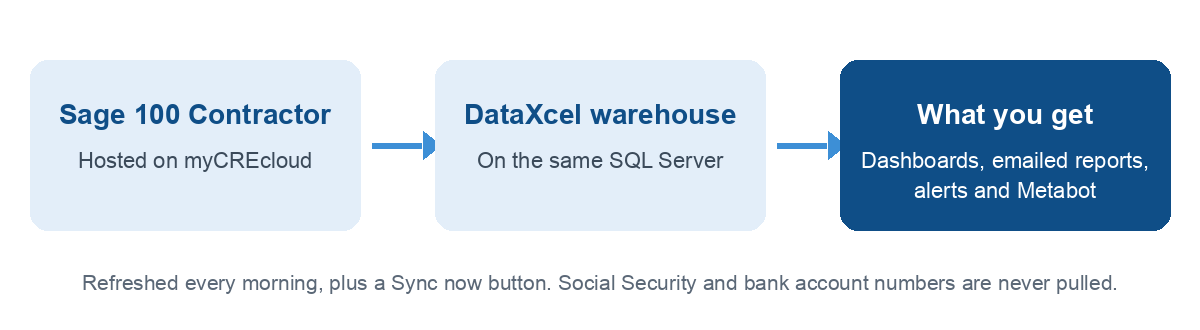
DataXcel connects to Sage 100 Contractor and turns its data into dashboards, scheduled report emails, alerts, and an AI assistant you can ask questions in plain English. myCREcloud hosts Sage 100 Contractor for about 550 Sage clients and partners with DataXcel.
On November 10 we showed myCREcloud customers what DataXcel does with the Sage data they already have. The full session is below. No registration required.
The five-minute version
Why myCREcloud partnered with DataXcel, plus the session's key moments.
Seen enough? Book 20 minutes.
A $40 labor hour that really cost $71
One company budgeted field labor at $40 an hour. Fully loaded, that hour cost $71. On small jobs nobody notices. On big jobs, that gap is the margin.
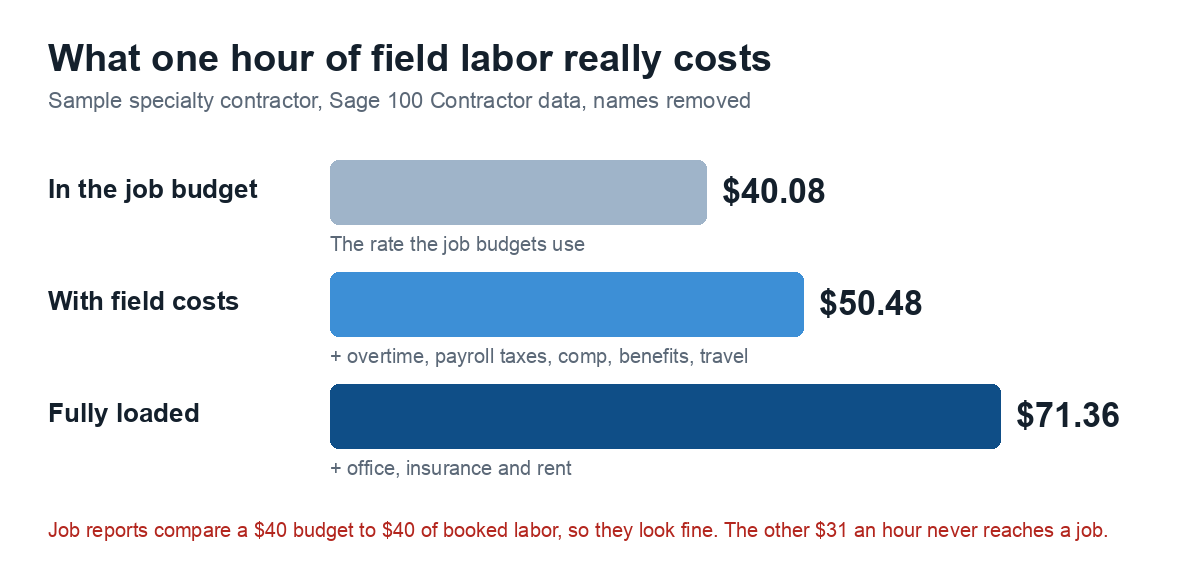
Sage holds every number needed. It does not show them together. See the full breakdown.
Want to know your own fully loaded rate? Book 20 minutes and we will show you where it comes from in your Sage data.
What you will see
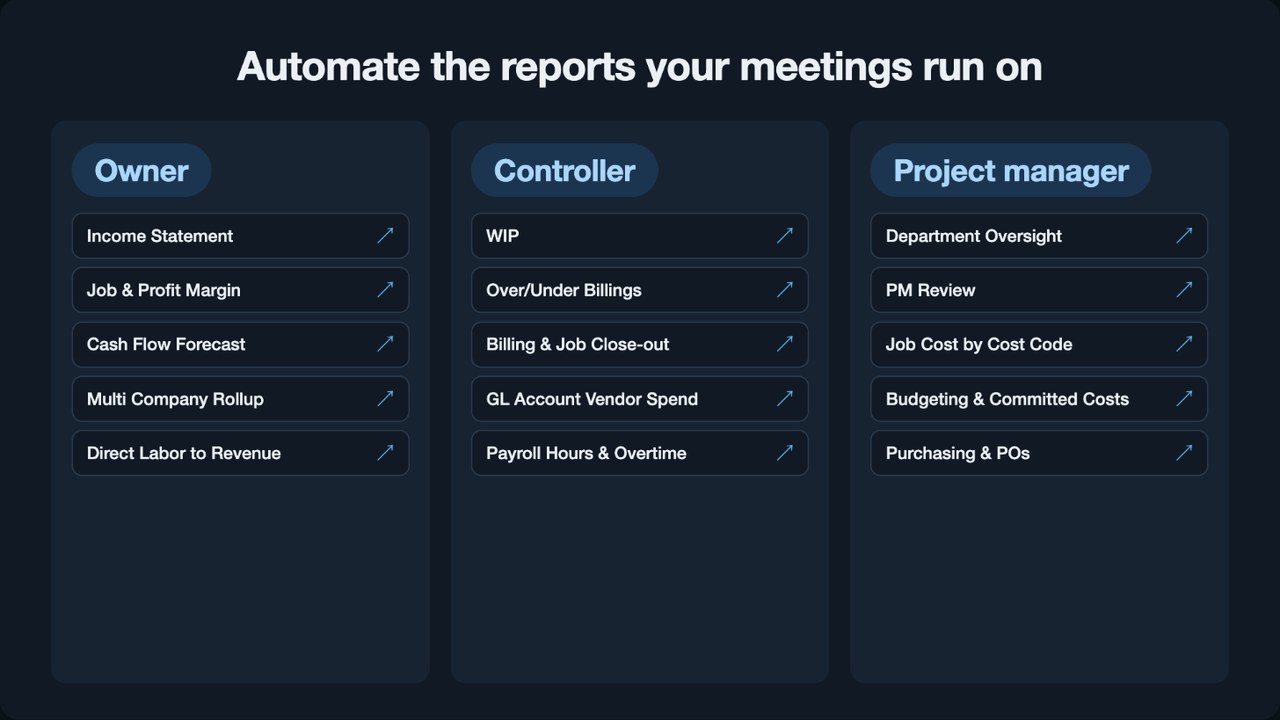
- Scheduled reports: the reports your meetings run on, emailed as PDF or Excel on a schedule.
- Profit by department or company: one income statement with a column for each department, or for each Sage company you run.
- The onboarding audit: money you are already owed, found in your first week.
- Alerts: a heads-up when a job, a deadline or cash needs you.
- Crew scorecards: revenue per labor hour and budget vs actual hours, by foreman.
- Plain-English questions: Metabot answers and shows where each number came from.
What it looks like
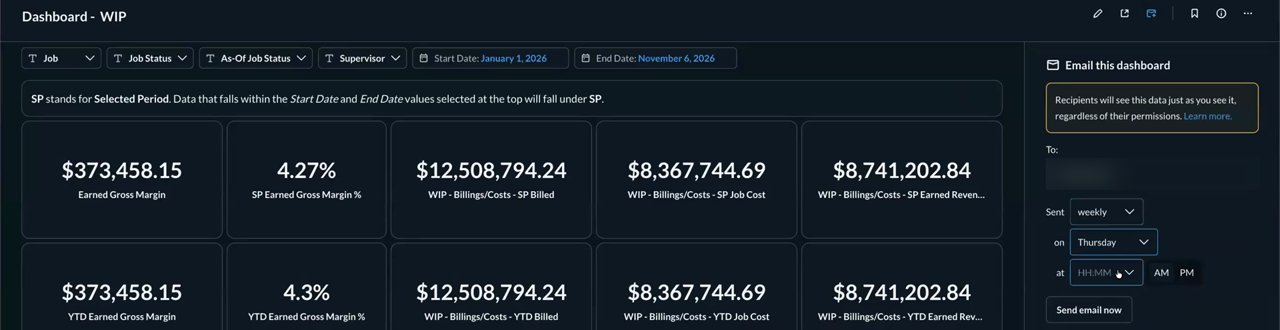
The WIP dashboard, set to land in your inbox every Thursday.
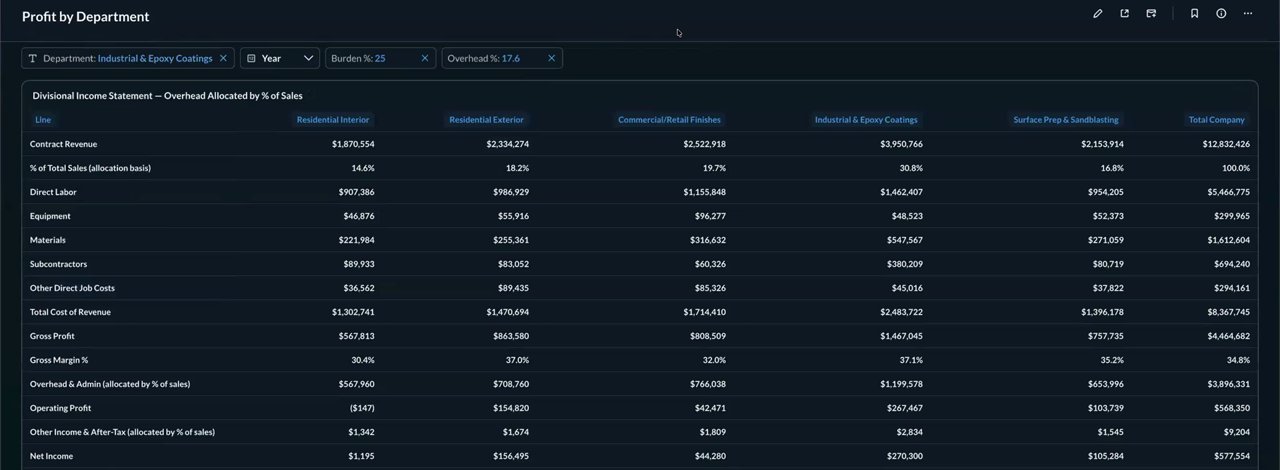
One income statement, a column for each department.
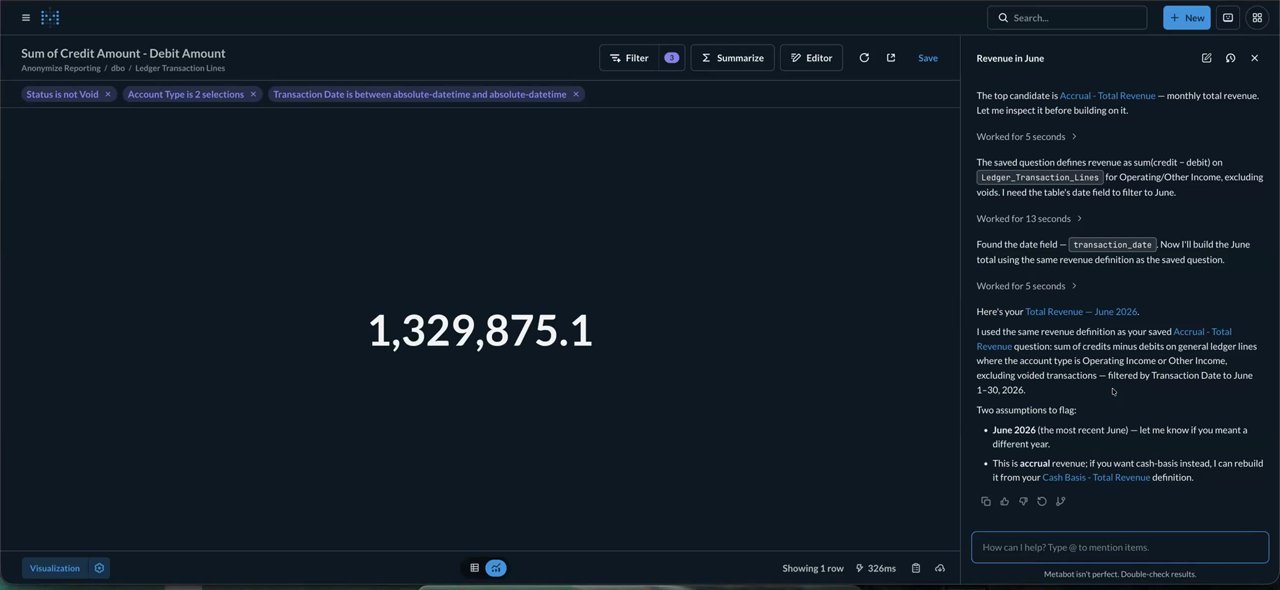
Ask "How much revenue did I make in June?" and Metabot shows the answer and how it got it.
Watch the full recording
Everything on screen is demo data.
Watched the whole thing? Book 20 minutes and bring the report you wish you had.
Jump to a topic (19 chapters)
| Time | Topic |
|---|---|
| 0:00 | Welcome from myCREcloud |
| 4:56 | Can they build my report? |
| 6:51 | Data that finds you |
| 9:20 | An "impossible" report |
| 10:33 | Reports emailed on a schedule |
| 14:09 | All your companies in one report |
| 15:28 | The onboarding audit |
| 16:26 | The labor burden blind spot |
| 19:48 | Alerts for what falls through the cracks |
| 25:27 | Scorecards for foremen and crews |
| 30:47 | Metabot, the AI assistant |
| 32:00 | What data we never pull |
| 37:34 | Q&A: Is the AI secure? |
| 40:59 | Q&A: Export to Excel |
| 41:47 | Q&A: Actuals vs forecasts |
| 44:43 | Q&A: Billing from another system |
| 46:11 | Q&A: How often it syncs |
| 48:08 | Q&A: Forecasting |
| 51:25 | Next steps |
The slides
Every report in the deck opens live, on demo data, with no login.
Questions people asked
Is the AI secure with confidential data? Your reporting copy of the data stays on the same SQL Server as your Sage database. We never pull Social Security numbers or bank account numbers. Details are on our security page.
Can reports be exported to Excel? Yes. Any report can be downloaded, and a scheduled email can attach the Excel file.
Can actuals be merged with forecasts? Yes. Daily snapshots of your data show how far actual results landed from the plan. Forecasting is set up per company today.
Our billing comes from another system and lands in Sage as one line. Can you still report on it? Often, yes. We can bring data from other systems into the same warehouse. Every setup is different, so we walk through yours one on one.
How often does it sync with Sage? Every morning, before you get in. A Sync now button refreshes on demand, and syncs can be scheduled more often.
Hosted on myCREcloud?
Already on myCREcloud? Mention it when you book. See how the two fit together.
See it with your reports
Bring the report you wish you had. We will show you how we would build it.