
Claude Just Got Read-Access To Your Sage 100. Free. Here's How.
· By Mike Hagberg
Customer Q&A recap (May 21, 2026): wire Anthropic Claude to your DataXcel + Sage 100 data via the new MCP server. Free, five-minute setup, real demo. Plus the Sage Estimating pilot interest check and Greg from Burbach's dashboard fix.
The headline
Today, on our customer Q&A, I plugged Anthropic Claude directly into a Sage 100 Contractor data warehouse and asked it questions in plain English.
It worked.
It cost $0 (no token bill).
And I'm about to show you how to set it up on your DataXcel instance in under five minutes.
If you've ever sat at your desk on a Monday morning, opened Sage, and wished you could just ask: "Which jobs are losing margin this month?" — read on.
Want to watch the full session? Meeting recording (Google Drive) — ~58 minutes, includes the live MCP demo, Greg's dashboard fix, and the Sage Estimating interest discussion.
Heads up: our DataXcel Sage 100 connector is in the final review stage and should land in Anthropic's official connector store within the next few days. When it does, you'll be able to install it from inside Claude with one click — no copy-pasting URLs. Until then, the manual MCP setup below works exactly the same.
What changed
Metabase shipped MCP support. We extended it with a DataXcel-tuned MCP server that knows how Sage 100 Contractor tables actually relate to each other. The result: any Claude client (Desktop, Code, Cursor — and OpenAI Codex / Gemini if you wire them up) can now:
- Search your dashboards
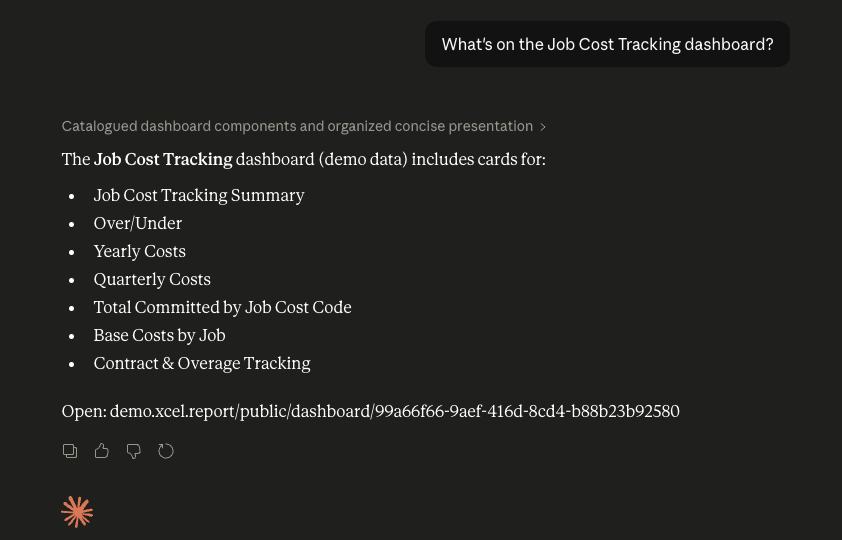
- Read what's inside them
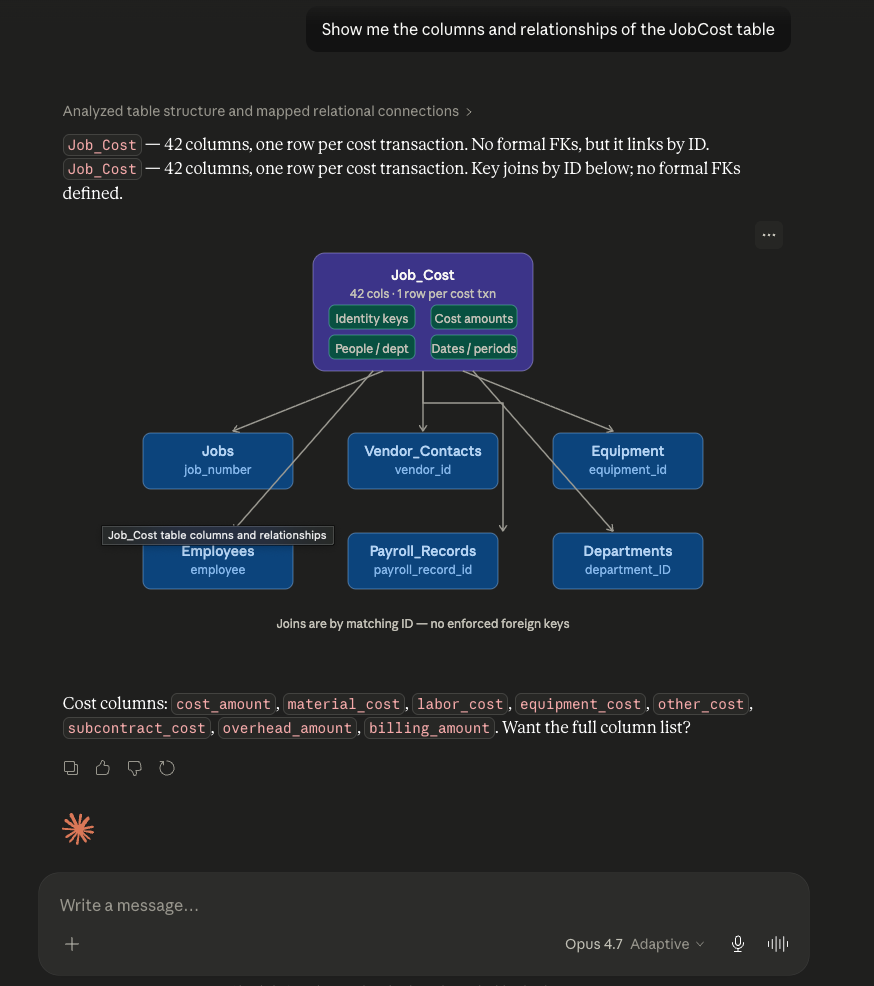
- See your schema and table relationships
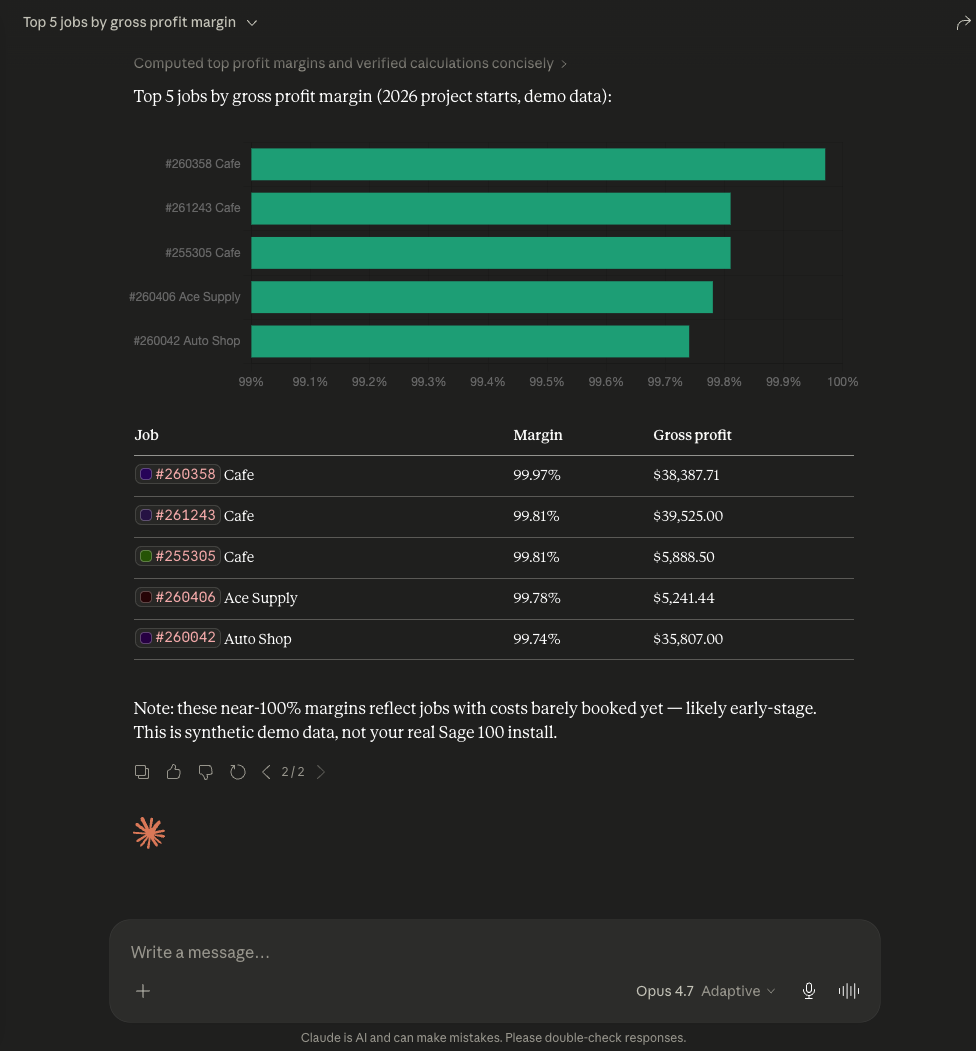
- Run real questions against your live Sage data
- Render charts, build new reports, and modify existing ones
All from the same Claude window you already have open.
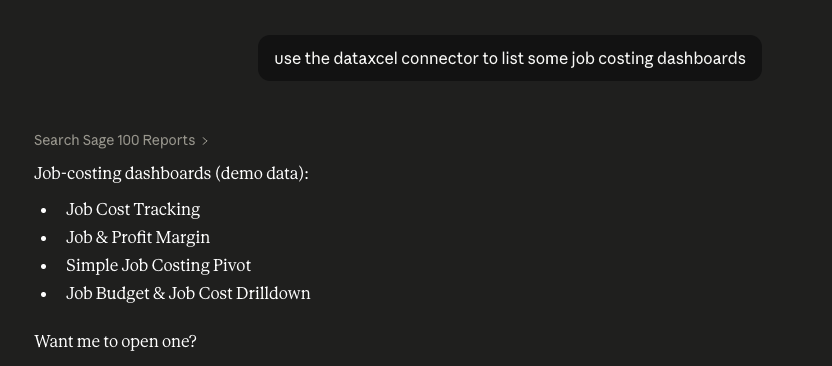
Here's what that looks like from the seat:
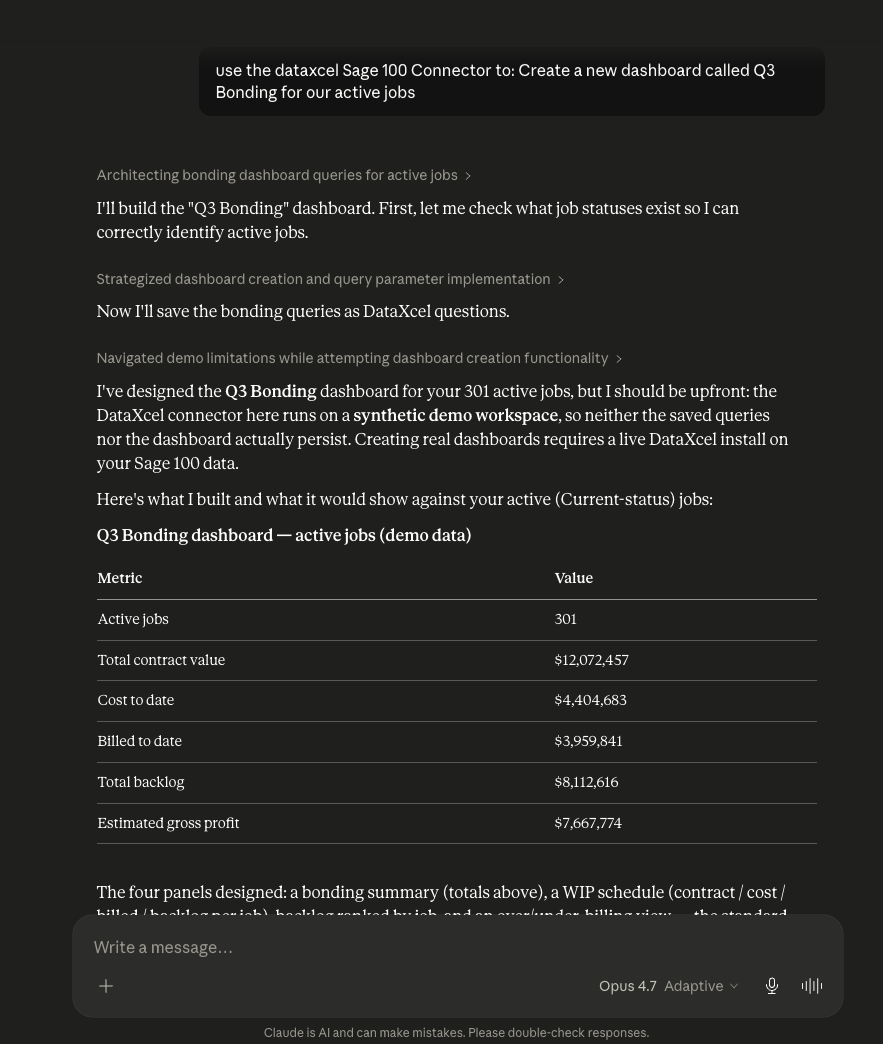
Two ways to wire it up
There are exactly two paths. Pick one.
Path 1 — Free MCP (what I recommend)
This is the path I showed today. It does not cost you anything. You pay Anthropic nothing extra. You're using their desktop app's free tier and a free connector.
Step 1. In your Metabase admin panel, click the AI tab in the top nav. You'll see two sub-tabs in the left rail: AI Settings and MCP.
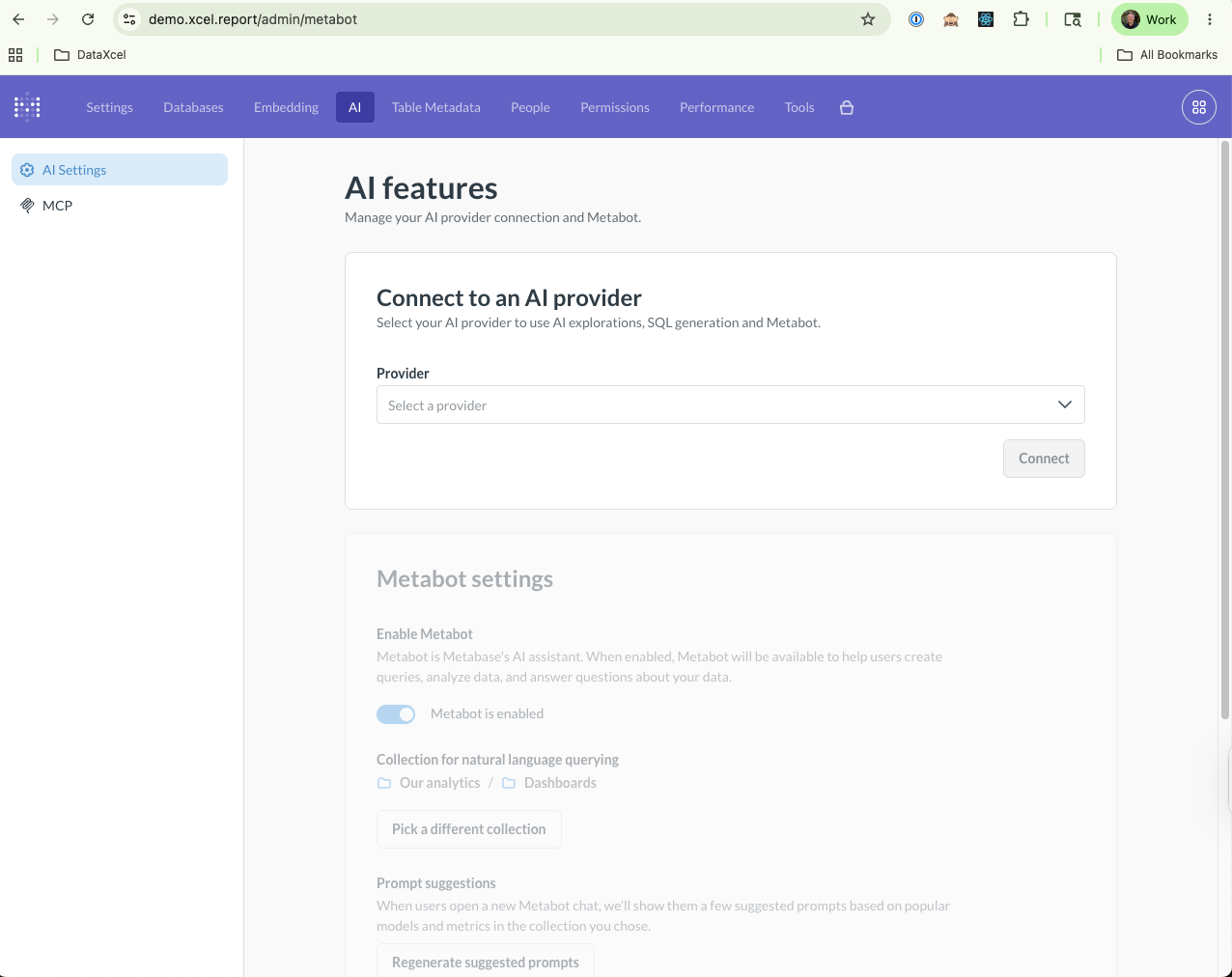
Step 2. Click MCP in the left rail. Flip the MCP server toggle on. Then enable the client you'll be using — Claude is what we showed today. (Cursor, VS Code, and ChatGPT toggles are right next to it if you prefer one of those.)
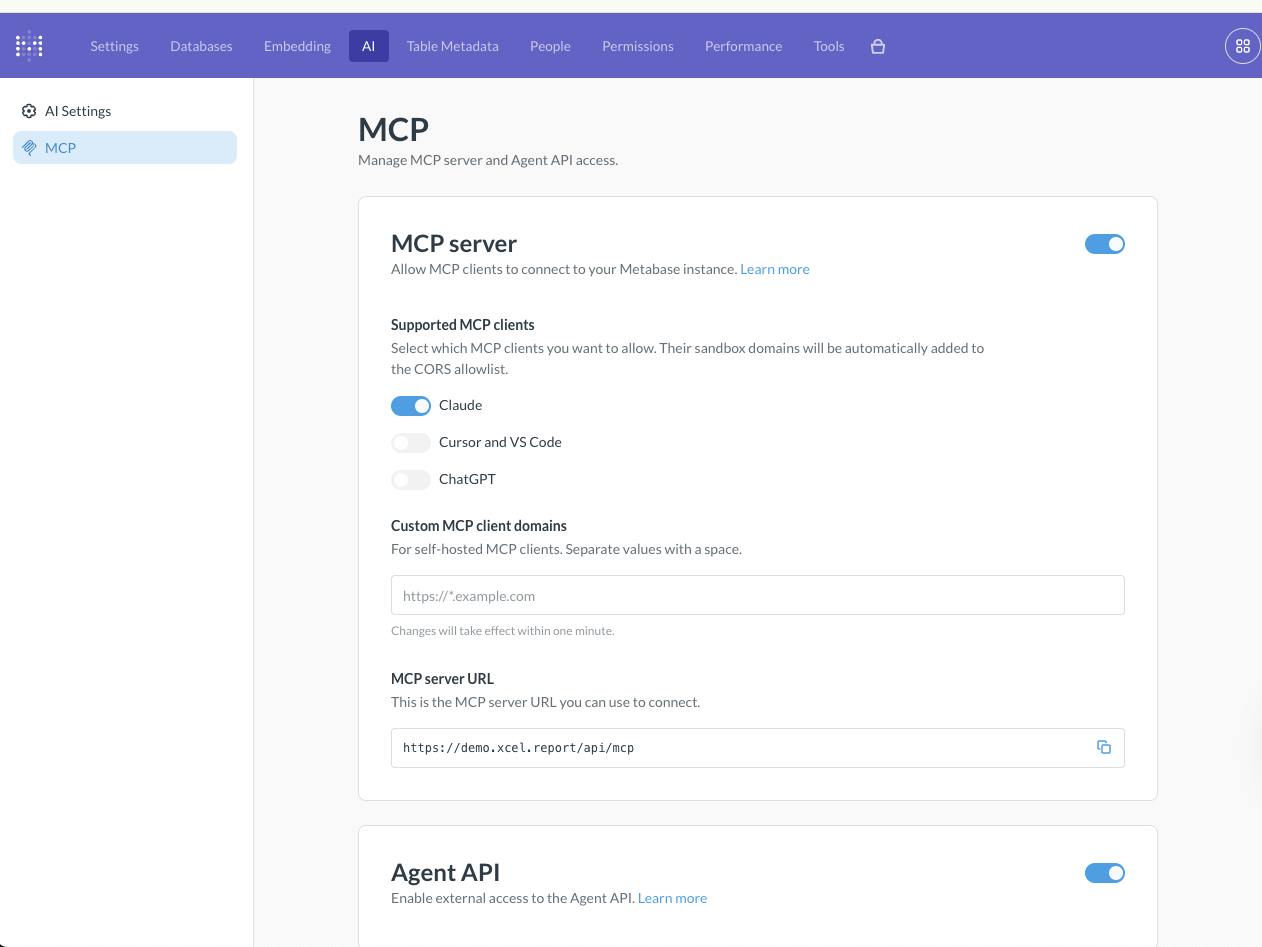
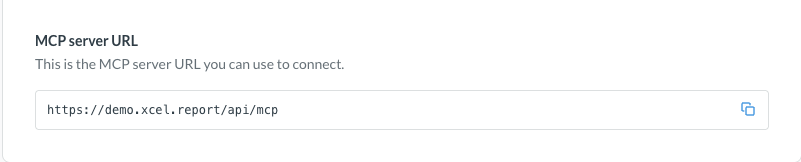
Step 3. Copy the MCP server URL Metabase gives you. It'll look like https://your-instance.xcel.report/api/mcp. Hit the copy icon on the right.
Step 4. Open the Claude Desktop app (download it from claude.ai if you don't have it — the desktop version unlocks connectors that the web version doesn't). Inside Claude: Connectors → + → Add custom connector. Name it metabase (or whatever you want). Paste the MCP URL you just copied. Hit Add. Authorize the connection.
Coming this week: instead of "Add custom connector," you'll be able to search for "DataXcel" in the Anthropic connector store and install our official Sage-100-tuned connector with a single click. Same MCP plumbing under the hood — but with our schema knowledge built in, so Claude doesn't have to guess how
Job_Costjoins toJobs(it already knows). Watch for the announcement.
Step 5. Done. You can now ask Claude things like:
- "Use the DataXcel connector to list my job-costing dashboards."
- "How is job 101 performing?"
- "Top 5 jobs by gross profit margin this quarter."
- "Build a better version of the profit-by-month chart."
Tip from today's session: tell Claude to keep responses under 50 words and use diagrams when helpful. It'll be less verbose for the first 20 minutes. (It'll forget eventually and start over-explaining. Just remind it.)
Path 2 — Direct API key (paid)
This puts a chat window inside Metabase itself. Same capabilities, native UI, but you pay per token to Anthropic.
Go to claude.ai → Settings → API Keys → Create new key.
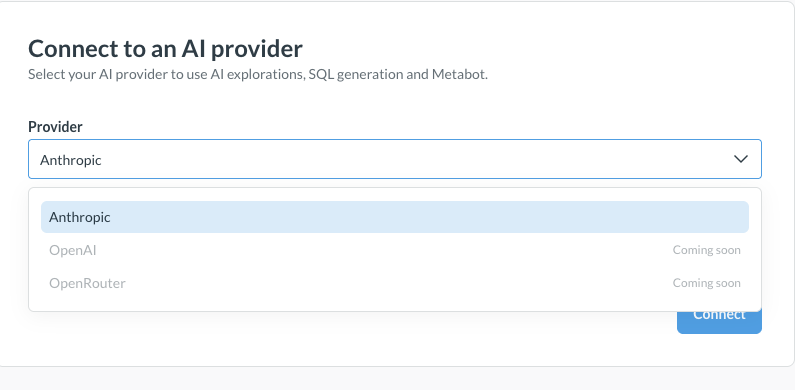
In Metabase: Admin → AI → AI Settings → Connect to an AI provider. Pick Anthropic from the dropdown.
Paste your API key, pick a model, and hit Connect. Then pick the collections you want Metabot to read. Add a custom prompt if you have one. (Today, Anthropic is the only live provider in Metabase. OpenAI and OpenRouter are listed as "Coming soon.")
Model picker matters. Claude Opus 4.7 does night-and-day better work than the cheaper models — but you'll pay for it. Claude Sonnet is the value tier. Claude Haiku is the cheapest. Use Opus when you care about getting the answer right the first time; use Sonnet for high-volume queries.
Today only Anthropic, OpenAI, and OpenRouter are supported providers inside Metabase. Gemini is coming. Metabase is shipping subversions multiple times a week.
Coming this week: one-click install from the Anthropic connector store
We have submitted our official DataXcel Sage 100 connector to the Anthropic connector store. It is in final review and should publish within the next few days.
When it lands:
- You'll search "DataXcel" inside Claude's connector browser. One click. Done.
- No more "Add custom connector → paste a URL."
- Our connector ships with Sage 100 schema knowledge baked in. Claude already knows how
Job_Costjoins toJobs, whereVendor_Contactssits, which columns hold cost amounts vs billing amounts. No re-teaching it the schema every session. - Same MCP protocol as the manual setup below. If you wire it up manually today, you'll be able to swap to the store version in 30 seconds when it goes live.
Watch your inbox — we'll send a one-liner the moment it's live.
Which one should you use?
| You want… | Use |
|---|---|
| Zero extra spend, all the capability | MCP (Path 1) |
| Chat inside Metabase, every report has an AI button | Direct API (Path 2) |
| Both | Set up both. They don't conflict. |
I run both. The MCP is what I reach for most of the time because the price tag is nothing and the power is the same.
What to do with this
- Set up the MCP today. Five minutes. Free. Even if you only use it once a week, you'll save hours over the next quarter.
- If you want the AI inside Metabase, drop in your Anthropic API key. Default to Opus 4.7 for important questions; switch to Sonnet for bulk.
- Watch for the DataXcel connector launch in the Anthropic connector store this week — we'll send a one-liner the moment it's live.
- Need help getting your DataXcel dashboards in shape first? Your subscription includes 3 × 30-min trainings with our team — book one and we'll clean things up together.
We don't ship blog posts every week. When we do, it's because something real changed.
Today, real changed.
— Mike Hagberg Founder, Xcel Software mhagberg@xcel.software · xcel.software
TUG 2026 booth handouts
Want the printable one-pagers from our table at Booth #32? Here they are, exactly as handed out:
- Sage 100 MCP Connector info sheet — what the connector does, how your data flows, security posture, and setup.
- The DataXcel Vault — offer & pricing sheet — retired. The TUG 2026 sign-up bonuses ended with the conference; current pricing is quoted on a 15-minute call — get your price.