
Sage 100 Contractor Reporting for Every Company You Run: CBSL and DataXcel Webinar
· By Mike Hagberg
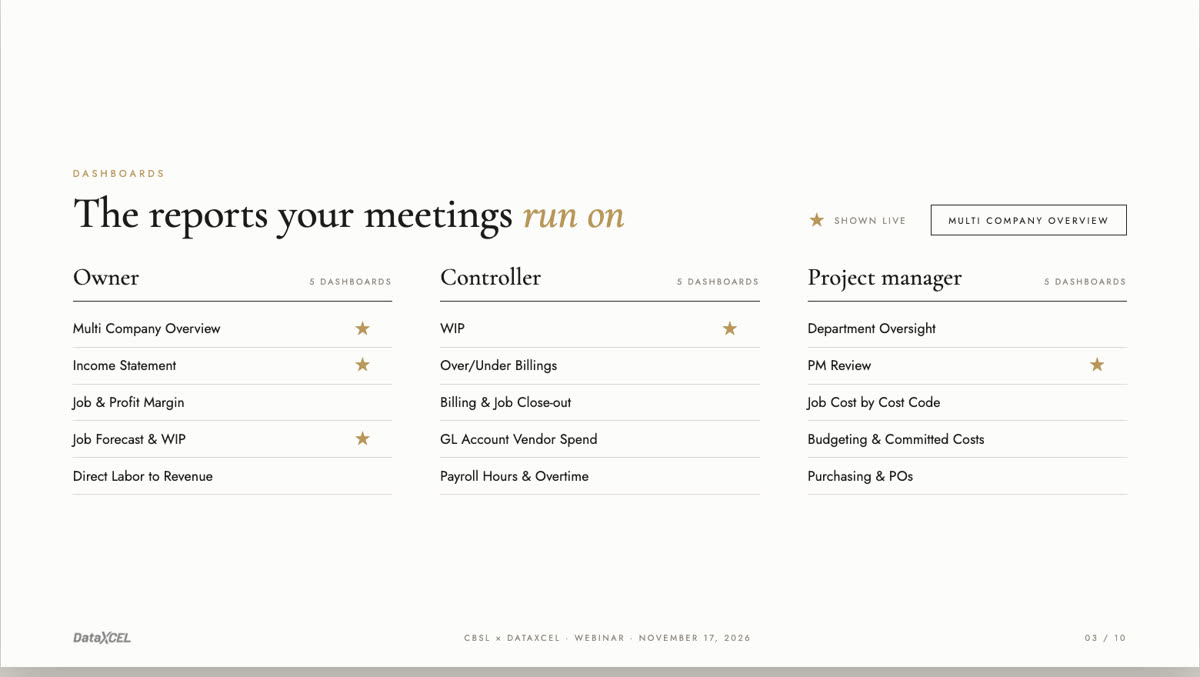
The webinar deck
Every report in the deck opens live, on demo data, with no login.
Watch the webinar
Jump to a topic in the full recording (27 chapters)
| Time | Topic |
|---|---|
| 0:00 | Welcome from CBSL |
| 1:24 | Meet DataXcel |
| 3:18 | The real problem: waiting for reports |
| 5:10 | The reports your meetings run on |
| 5:32 | Cash basis income statement |
| 7:40 | The WIP report, emailed on a schedule |
| 9:17 | PM review |
| 10:26 | Ask your Sage data a question |
| 14:26 | Every company in one report |
| 15:57 | Keeping your data secure |
| 17:50 | The onboarding audit |
| 18:34 | A $40 labor hour that really costs $71 |
| 20:21 | Sage health check and year-end cleanup |
| 22:04 | Alerts |
| 24:47 | Scorecards for foremen and crews |
| 25:50 | KPI dashboards on the office TV |
| 27:13 | Everyone sees only their own numbers |
| 28:33 | Next steps |
| 30:28 | Q&A: QuickBooks and other systems |
| 30:53 | Jon Newsom on writing Sage reports |
| 32:17 | Q&A: Connecting to a virtual server |
| 34:38 | Q&A: Does it use a Sage license? |
| 35:44 | Certified payroll |
| 37:41 | Q&A: Pricing |
| 39:13 | Q&A: Subscription or one-time fee? |
| 41:08 | Q&A: Keeping your reports and exporting to Excel |
| 43:31 | Wrap-up |
Every company in one report
Run more than one Sage company? Pick one, a few, or all of them. Totals, jobs and charts update together.
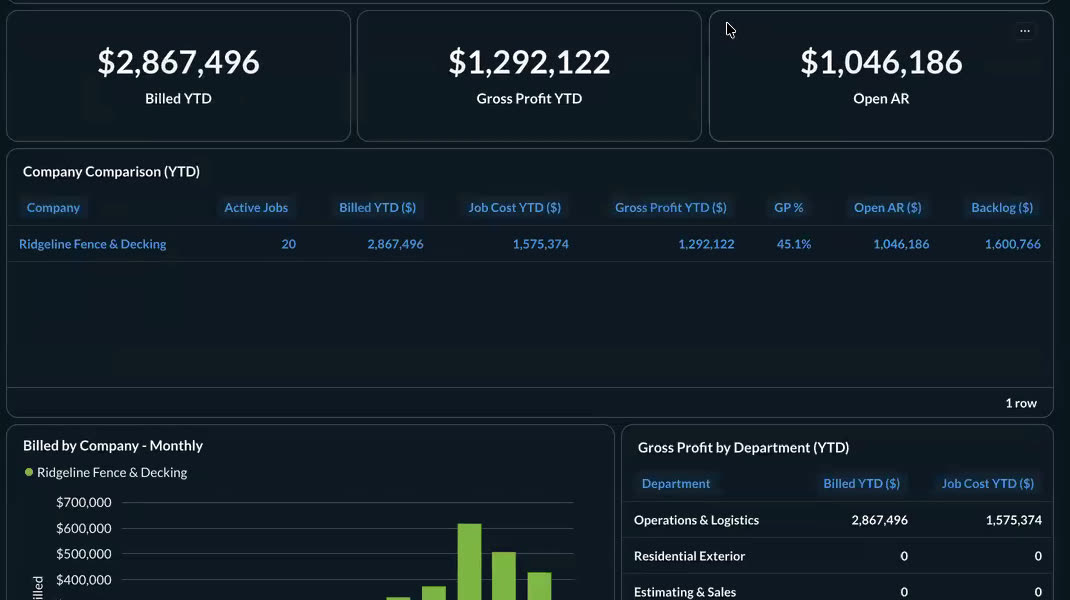
Demo data. Company names are made up. Open the live report.
A $40 labor hour that really cost $71
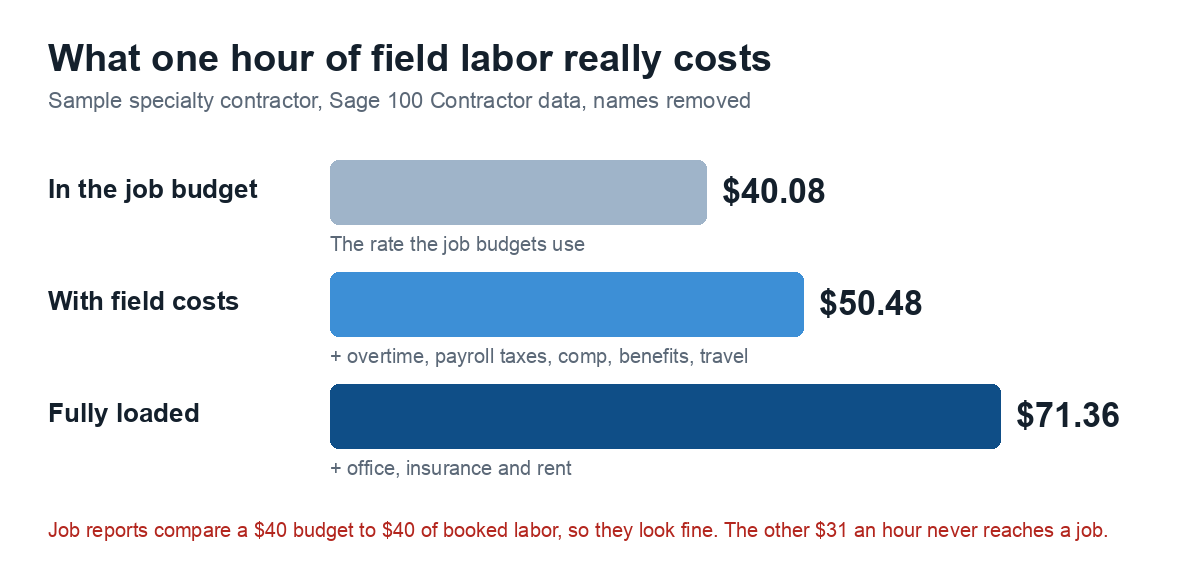
One company budgeted field labor at $40 an hour. Fully loaded, that hour cost $71. On small jobs nobody notices. On big jobs, that gap is the margin.
Questions people asked
Does it work with QuickBooks or other systems? Yes. We specialize in Sage 100 Contractor, and we can bring other sources into the same reports. We look at your use case in a demo.
Sage is on a virtual server. What do you install? One small program called NetBird. It makes a secure connection without opening any ports. Your data stays on your server. Details are on our security page.
Does the DataXcel user take a Sage license? No. We read the data through SQL, never the Sage screens, so it never uses a license.
What does it cost? A one-time setup fee covers onboarding, the audit, training and your custom reports. After that it is a monthly subscription, month to month. We price it after a demo.
If we cancel, do we keep our reports? You can download any report to Excel at any time, and scheduled emails can attach the file.
See it with your reports
Bring the report you wish you had. We will show you how we would build it.